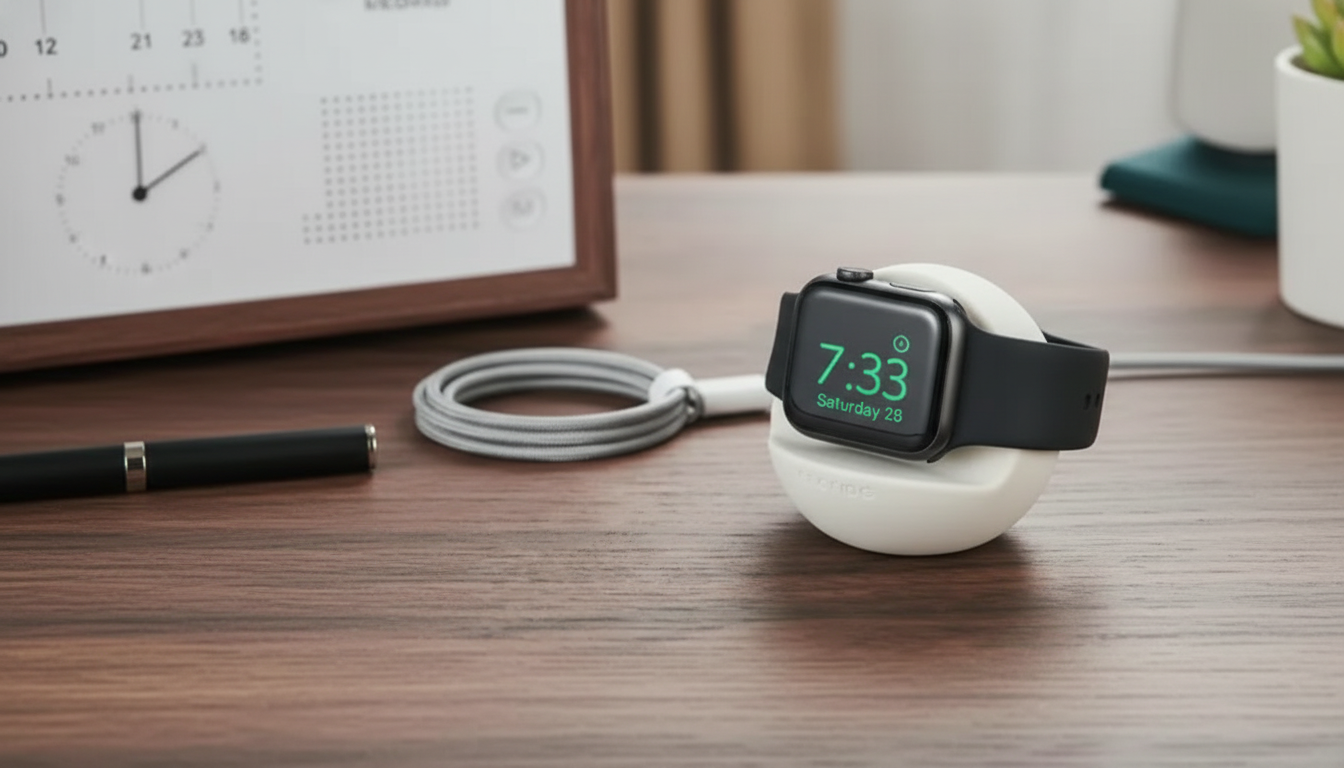
A silicone charging stand keeps an Apple Watch charger anchored and the watch easy to place and remove—ideal for a nightstand, desk, or entryway drop zone. With the charging puck held in a consistent position, the daily routine feels less fussy: no more chasing the puck across the table or untangling a cord that migrated overnight. Below is a practical guide to what a silicone stand does best, what to confirm before buying, and simple setup habits that make charging more reliable day after day.
A silicone charging stand is essentially a stable dock for the Apple Watch magnetic charging puck. Its main job is to keep the puck from sliding, tipping, or lifting when you pick the watch up.
If charging ever seems inconsistent, it’s often about puck placement, cable tension, or power source—not the stand itself. Apple’s own charging instructions are a helpful baseline for troubleshooting basics like puck alignment and the charging icon (Apple Support: Charge Apple Watch).
Silicone is popular for charging stands because it’s grippy, forgiving, and simple to live with—especially in high-touch areas where things get moved around.
On a desk, that grip matters when you’re moving a laptop, shifting a notebook, or tugging a charging cable without thinking. On a nightstand, it’s all about stability in low light—placing the watch cleanly without having to look closely.
Not all stands are shaped the same, and small differences can affect how secure the puck feels and how naturally the watch rests while charging.
Band clearance is the detail that surprises people. Sport bands usually sit easily, while thicker straps (leather loops, rugged bands, or metal links) may push against the stand if the shape is too tight, nudging the watch slightly off-center. If you use Nightstand Mode, you may also prefer an upright angle that makes the display easier to glance at, as described in the Apple Watch User Guide.
A good stand feels “set-and-forget” once the puck is seated correctly and the cable is routed without tension.
| Feature | Why it matters | What to check |
|---|---|---|
| Snug charger puck fit | Prevents the puck from lifting when removing the watch | Puck sits flush and doesn’t wobble |
| Non-slip base | Keeps the stand from sliding on a smooth surface | Base stays put with gentle one-handed use |
| Cable channel/routing | Reduces clutter and strain on the cable | Cable exits cleanly without sharp bends |
| Band clearance | Avoids awkward angles with thicker bands | Watch rests naturally without band pushing it off-center |
| Easy-clean surface | Keeps bedside/desk setup looking tidy | Wipe-clean silicone without crevices that trap dust |
Most silicone stands are holders only and don’t include the Apple Watch magnetic charging cable/puck. You place your existing charger into the stand to keep it stable and neatly positioned.
The key interface is the charger puck, so the stand needs to fit that puck securely. Also check for band clearance—bulkier bands may need a stand shape that leaves more room for the strap to rest without pushing the watch off-center.
This usually happens when the puck isn’t fully seated or the cable is pulling on it. Press the puck in until it sits flush, route the cable through the channel to reduce tension, and leave a bit of slack behind the stand so lifting the watch doesn’t tug the puck upward.












Leave a comment