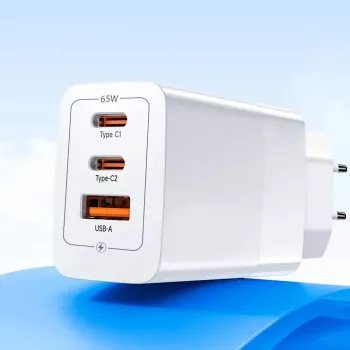
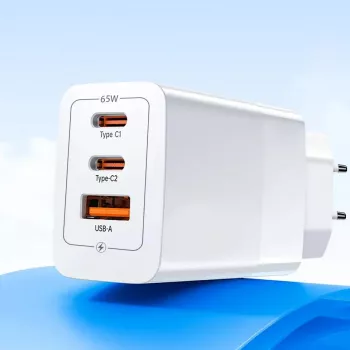
A single compact charger can simplify everyday charging across Apple devices. This 65W GaN USB‑C fast charger is built to deliver high power from a small footprint, making it a practical pick for desks, nightstands, and travel bags when a MacBook, iPad, and iPhone are all in the mix.
A 65W USB‑C Power Delivery charger is meant to cover the “one charger for everything” role—especially for people who rotate between an iPhone, an iPad, and a MacBook. Instead of keeping separate bricks for each device, a higher-output adapter can supply enough power for a laptop while still being perfectly comfortable charging smaller devices.
If you’re shopping for a compact everyday option, the 65W GaN USB-C Fast Charger for Apple iPhone, iPad & MacBook is an easy way to consolidate charging while keeping a travel-friendly footprint.
GaN (gallium nitride) is widely used in modern fast chargers because it can switch power efficiently at high frequencies. In practical terms, that efficiency often allows a smaller design than older silicon-based chargers at similar wattage levels. For anyone using a power strip, working from a coffee shop, or packing light, the smaller brick can make a noticeable difference.
For more background on how modern charging standards work, the USB Implementers Forum explains the basics of USB Power Delivery here: USB Power Delivery (USB‑IF).
USB‑C Power Delivery (USB‑C PD) is designed around negotiation: the charger advertises supported power profiles, and the device requests what it can safely use. That means a 65W charger can work across a wide range of Apple devices—while each device still controls its own draw based on battery level, temperature, and workload.
| Device family | Recommended cable | What to expect from a 65W USB‑C PD charger |
|---|---|---|
| MacBook Air (USB‑C) | USB‑C to USB‑C (e-marked preferred) | Suitable for charging; device draws required wattage up to charger limit |
| MacBook Pro (USB‑C) | USB‑C to USB‑C (e-marked preferred) | Supports charging; heavy workloads may draw more than lower-watt adapters but will still negotiate safely |
| iPad (USB‑C) | USB‑C to USB‑C | Fast, stable charging within iPad limits |
| iPhone 14 and earlier (Lightning) | USB‑C to Lightning | Fast charging when using a compatible cable and device settings |
| iPhone 15/16 (USB‑C) | USB‑C to USB‑C | Fast charging within iPhone limits |
Apple also maintains device-and-adapter guidance that can help confirm what your model supports: About USB‑C power adapters and Apple devices (Apple Support).
A 65W charger is a sweet spot for many Apple households because it’s laptop-capable without being bulky. It’s especially useful when charging time is limited and you want a single, dependable adapter that can move between rooms or devices without hassle.
For a streamlined everyday carry, pair your charger setup with practical add-ons like a drop protection case for iPhone for better grip and scratch resistance during commutes.
If you frequently charge in the car, consider a dedicated mount that keeps the phone stable and accessible, such as a wireless car charger and phone holder, while keeping your high-watt wall charger for desk and travel.
For travelers who like keeping track of bags and keys, a small add-on like a Silicone AirTag holder can complement a compact charging kit without adding bulk.
No. With USB‑C Power Delivery, the charger and device negotiate a safe power level, and the iPhone or iPad draws only what it requests. Using a reputable, properly rated cable helps ensure stable, safe fast charging.
No. Charging wattage varies by MacBook model, battery level, temperature, and what you’re doing while it charges. The charger can provide up to 65W, but the MacBook will only pull what it negotiates at that moment.
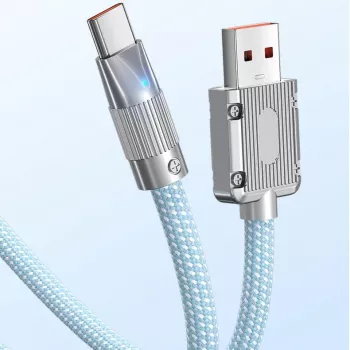
For Lightning iPhones (iPhone 14 and earlier), use a USB‑C to Lightning cable; for iPhone 15/16 models with USB‑C, use a USB‑C to USB‑C cable. Cable quality matters—damaged or under-rated cables can reduce charging speed.











Leave a comment