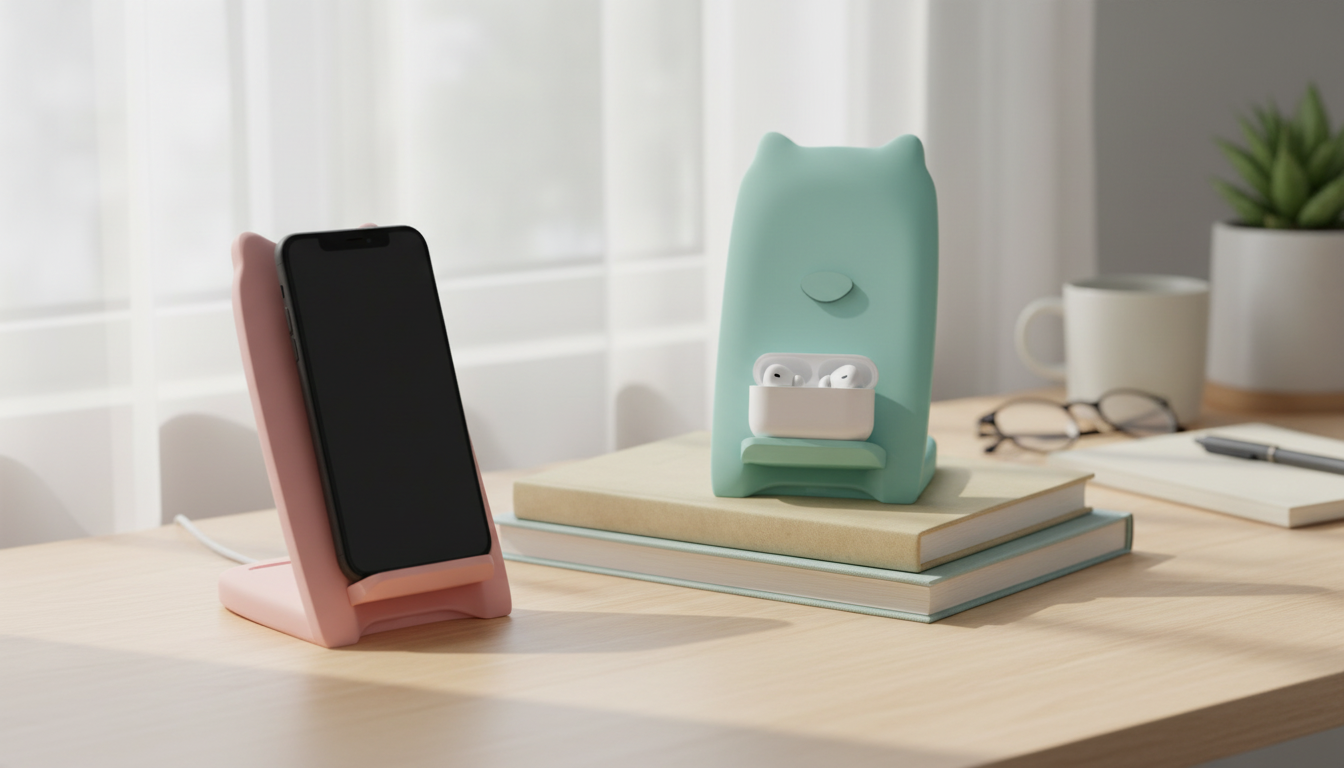
A wireless charger stand keeps your phone powered while staying easy to see for calls, notifications, and video. This 10W Qi charging stand is designed for everyday desk and nightstand use, with a stable upright angle and wide compatibility for many Qi-enabled Apple iPhone models and other devices.
If you want a simple, cable-free routine, the 10W Qi Wireless Charger Stand Fast Charging for Apple iPhone and Devices creates a consistent “set it down and charge” spot that’s easier to live with than a loose charging pad.
A 10W wireless charger can deliver faster wireless charging than basic 5W pads when the phone and power setup allow it. In real-world use, “10W” is best understood as a potential peak output under ideal conditions—proper power adapter, a good cable, correct alignment, and a phone that supports higher wireless charging rates.
Actual charging speed depends on the phone model, the wall adapter output, the cable quality, and the alignment between your phone and the internal charging coil. Wireless charging also typically creates more heat than wired charging, so many phones automatically manage speed to control temperature and protect battery health. For best results, pair the stand with a quality wall adapter that matches the charger’s recommended input (often a QC/PD-capable adapter for higher wireless output).
| Factor | What to check | Why it matters |
|---|---|---|
| Power adapter | Use a reputable adapter with sufficient wattage | Insufficient input power can limit output and slow charging |
| Phone compatibility | Confirm the phone supports Qi wireless charging | Non-Qi phones won’t charge wirelessly without an add-on receiver |
| Alignment | Center the phone on the stand’s charging area | Misalignment reduces efficiency and can stop charging |
| Case thickness/material | Avoid very thick cases; remove metal plates/magnets | Metal and thickness can block Qi charging or cause heat |
| Heat/ventilation | Keep the charger on a hard surface with airflow | Heat can trigger phone charging throttles |
Qi is an industry standard maintained by the Wireless Power Consortium, and it’s widely used across modern smartphones and accessories. This stand-style charger works with many Apple iPhone models that support Qi wireless charging (commonly iPhone 8 and newer). For Apple’s guidance on using wireless charging, see Apple Support: Charge iPhone wirelessly.
For the most consistent experience, keep in mind that wireless chargers rely on close coil alignment. Devices with unusually placed coils or bulky camera bumps may need a small position adjustment to start charging reliably.
A stand is often more practical than a flat pad because it keeps your display visible. That’s helpful during the workday and at night when you want quick glances without picking the phone up and breaking alignment.
If your setup includes frequent unlocks for two-factor codes, calendar notifications, or video calls, a stand can feel like a small upgrade that reduces friction throughout the day.
Also consider using a reliable USB power setup. Adapter and cable quality can change performance more than expected, especially if the adapter cannot sustain output under load. The USB Implementers Forum provides a helpful overview of USB specifications and the ecosystem behind compliant charging hardware.
For people who prefer a clean look, pairing wireless charging with a slim, non-metal case can help keep the experience smooth. If you’re updating your protection, consider the Creative Transparent All-Inclusive Drop Protection Case for iPhone 16, 15, 14, 13, 12 to help guard against everyday drops while keeping the phone easy to place on a stand.
And if you like wireless convenience beyond the desk, a dedicated vehicle mount can reduce cable clutter on the go. The Universal Forklift Wireless Charger and Phone Holder for Cars is an option for in-car charging and viewing, especially when navigation is running for long stretches.
Usually yes with thin, non-metal cases. Thick rugged cases, metal kickstands, magnetic plates, or wallet attachments can interfere with Qi charging or increase heat, so removing them can improve reliability.
Common causes include misalignment on the stand, an underpowered wall adapter, a low-quality cable, heavy background phone activity, or heat-related throttling. Re-centering the phone and using a stronger, reputable adapter often resolves it.
No. The phone model and supported charging protocol determine the final power level, and many phones adjust charging speed dynamically to manage temperature and protect battery health.











Leave a comment