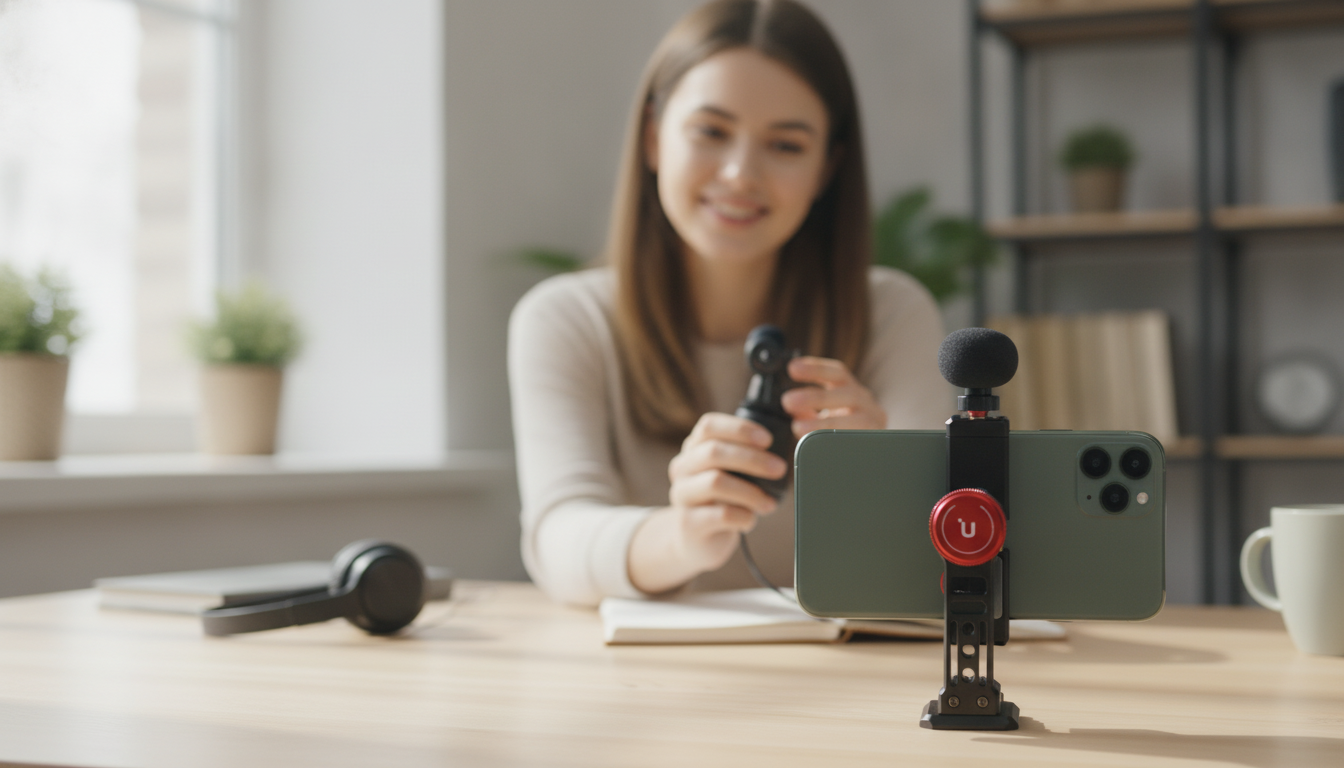
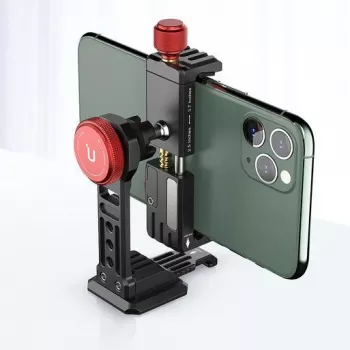
A vertical phone mount with a cold shoe solves two common mobile-creator problems at once: keeping an iPhone stable in portrait orientation and adding an on-camera accessory like a light or microphone. The Iron Man Vertical Smartphone Mount with Cold Shoe for iPhone Vlogging is designed to turn a phone into a compact, social-ready filming setup without the bulk of a full camera cage—ideal for creators who want a fast, repeatable rig that’s easy to grab and go.
What this mount is designed to do
- Hold an iPhone securely in vertical (portrait) orientation for Shorts, Reels, TikTok, live streams, and vertical interviews.
- Provide a cold shoe on top for quick mounting of accessories such as a mini LED light or compact microphone receiver.
- Improve handling for handheld shots and reduce shaky footage compared with holding the phone directly.
- Create a faster setup for creators who frequently switch between filming, live streaming, and behind-the-scenes clips.
Key features to look for in a vertical mount with a cold shoe
- Clamp grip and padding: A firm spring tension and soft contact points help prevent phone slip and scratches, especially during one-handed filming.
- Alignment and balance: The phone should sit centered so the rig doesn’t tilt forward when an accessory is added up top.
- Cold shoe placement: Top-mounted shoes work well for lights; side mounting can reduce glare but may affect balance and ergonomics.
- Port access: Leave room for charging cables, USB-C/Lightning adapters, or external mic interfaces so you’re not forced to unplug mid-take.
- Tripod compatibility (if included): Standard mounting options make it easier to use on tripods, mini tripods, or desktop stands.
Quick setup for iPhone vlogging
- Insert the phone into the clamp with the camera area unobstructed; confirm buttons are not being pressed by the clamp arms.
- Check framing in the camera app and lock orientation if the app supports it to avoid accidental rotation. Apple’s camera guide is a helpful refresher for basic video controls: Apple Support — Record videos with iPhone camera.
- Attach an accessory to the cold shoe: slide in the foot fully, then tighten the locking wheel (if present) until snug.
- Do a 10-second test clip to verify audio levels (if using a mic) and exposure (if using a light).
- For longer sessions, connect power and ensure the cable doesn’t pull the phone off-center.
Why the cold shoe matters for portrait video
- Improves lighting control: A small LED light can reduce harsh shadows on faces when filming indoors or in uneven window light.
- Stabilizes audio workflows: Mounting a wireless receiver keeps it close to the phone and reduces cable tug that can shift framing.
- Keeps accessories aligned with the camera: A cold shoe is simpler than stacking clamps that can twist or drift while recording.
- Enables a consistent “grab-and-go” rig: When the accessory mounts the same way every time, clips look more consistent across locations.
For creators publishing to short-form platforms, portrait-first setup is a major time-saver. If you’re building a Shorts workflow, YouTube’s overview is a useful reference: YouTube Help — Create Shorts.
Best-use scenarios
Portrait rig checklist: what to pair with a vertical mount
| Goal |
Accessory on the cold shoe |
Simple tip |
| Cleaner voice in busy areas |
Wireless mic receiver or compact mic adapter |
Monitor levels and keep the receiver tight to prevent wobble |
| Better indoor face lighting |
Mini LED light |
Angle light slightly above eye level to reduce under-chin shadows |
| More stable handheld shots |
No accessory or very light accessory |
Hold with two hands and keep elbows tucked |
| Long recording sessions |
Lightweight accessory only |
Use a charging cable with strain relief so it doesn’t pull the phone |
Comfort, balance, and handling tips
Pairing accessories and add-ons from the store
Care and long-term use
FAQ
Will a vertical smartphone mount fit iPhones with a case on?
It depends on the clamp’s maximum width and how thick your case is. Test the fit with your usual case installed, making sure the clamp arms aren’t pressing the volume or power buttons; extra-bulky cases may need to be removed for a more secure hold.
What can be mounted on the cold shoe for phone vlogging?
Common options include a mini LED light, a wireless microphone receiver, or a small mic adapter. Heavier accessories can shift balance, so tighten the shoe connection and record a short test clip to confirm stability and sound.
How do vertical mounts help with social video quality?
They keep portrait framing steadier, make it easier to place lighting or audio accessories in a consistent position, and reduce setup time between clips. The result is more repeatable composition and fewer distractions from shaky handling or drifting accessories.
Recommended for you









Leave a comment