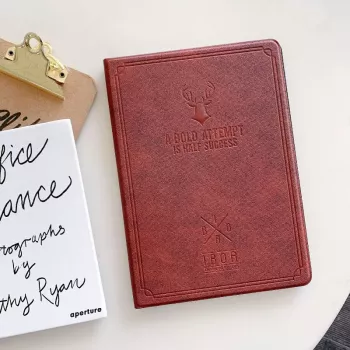
A leather smart case can add everyday protection without turning an iPad into a bulky brick. The right folio cover helps keep the screen safe in bags, adds a convenient stand for work or streaming, and can make the tablet easier to hold with a more confident grip. Below is what to look for in a slim leather-style cover, how smart-cover features affect daily use, and how to match the fit to popular iPad sizes across the iPad, iPad Air, and iPad mini lines.
“iPad Air” and “iPad mini” sound specific, but those names span multiple generations with different dimensions, camera layouts, and button placements. A smart case that’s even slightly off can block a speaker grille, misalign magnets, or press against buttons in a way that feels irritating every day.
| Check | Where to confirm | Why it matters |
|---|---|---|
| Model name and generation | Settings > General > About | Ensures the shell and cutouts align correctly |
| Screen size (e.g., 9.7, 10.2) | Device specs / About page | Prevents a case that is too tight or too loose |
| Camera placement | Back of iPad | Avoids camera obstruction and poor fit |
| Button and port access | Side/top edges | Ensures volume, power, and charging are unobstructed |
| Accessory needs | Your usage (stylus/keyboard) | Determines if a folio style or a different case type is better |
For model identification help, Apple’s guide is a reliable reference: Identify your iPad model.
A slim case is ideal for day-to-day life: commuting, classrooms, coffee shops, and moving around the house. If the tablet routinely shares space with metal objects (keys, adapters), a closed folio cover is one of the simplest ways to prevent “mystery scratches” on the display.
Wake/sleep behavior also depends on iPad settings and iPadOS behavior. For deeper device tips, Apple’s documentation is helpful: iPad User Guide.
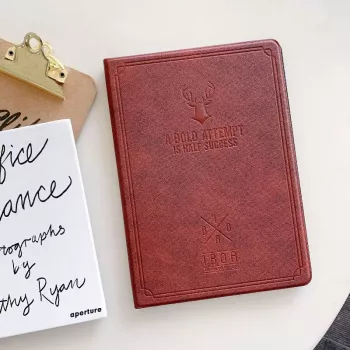
If the goal is a slim folio cover with screen protection and a fold-out stand, the Leather Smart Case for Apple iPad 10.2, 9.7, Air, and Mini Series is designed to cover everyday needs without adding much bulk. Since it’s intended to fit multiple iPad sizes across the iPad, iPad Air, and iPad mini lines, selecting the correct size/variant for the specific device is the key step for proper camera, button, and port alignment.
Open Settings > General > About and check the Model Name and Model Number, then match the screen size and generation to the case variant. Avoid relying only on labels like “iPad Air” or “iPad mini,” since dimensions can vary by year.
It helps with scratches and light impacts, but many slim folio designs have limited corner cushioning. If drops are common, a reinforced bumper or more rugged case style is usually a better fit.
Confirm the case is the correct size and aligned, remove and reseat it, and verify the iPad’s wake/sleep settings. Also make sure the cover closes fully without a gap that can weaken the magnetic trigger.











Leave a comment