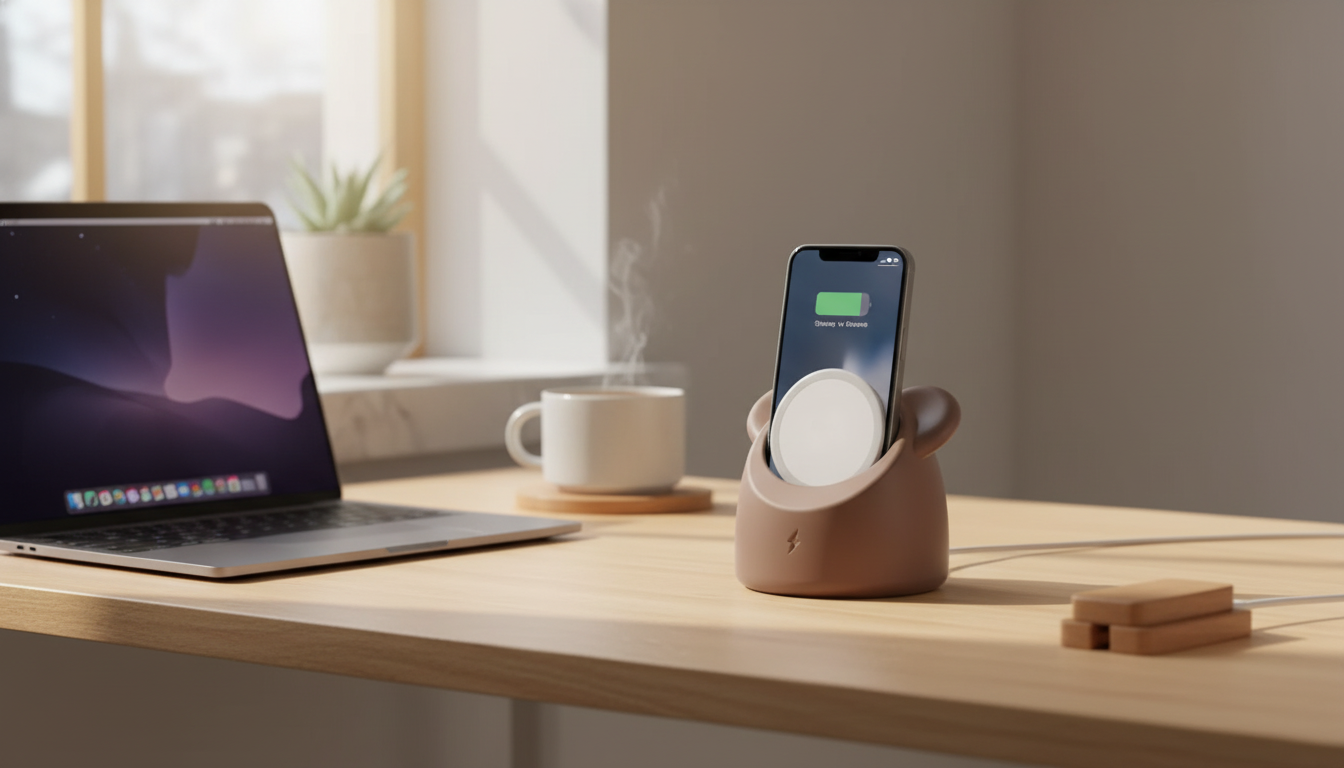
Turn everyday charging into a tidy, display-worthy setup. The Cute Bear Stand for MagSafe Charger is designed to hold a MagSafe-style charger in place so your iPhone snaps on neatly, stays upright, and keeps a nightstand or desk looking cleaner. The bear-shaped design adds a playful, cozy touch—so your “charging spot” feels more like part of the room than a leftover cable corner.
This stand is all about making MagSafe-style charging more consistent and less messy—without changing how your charger itself performs.
If you’re using Apple’s MagSafe Charger or a quality compatible puck, you’ll still get the same core charging behavior—just with a more satisfying “snap on and go” routine. For reference on how MagSafe works and what to expect, see Apple’s MagSafe Charger details and the Wireless Power Consortium (Qi) overview.
Charging setups are easiest to keep neat when they’re pleasant to use and simple to repeat. This bear dock helps create a consistent “home base” for your phone.
For a minimalist desk, it also helps establish one predictable spot to place your phone—especially useful during work blocks or bedtime routines when you want fewer distractions.
Magnetic alignment is what makes this style of dock feel effortless. A quick compatibility check helps ensure you get that secure “click” instead of a finicky fit.
| Item | Recommended | Notes |
|---|---|---|
| MagSafe-compatible iPhone | Yes | Best alignment and hold |
| MagSafe-compatible case | Yes | Maintains magnet strength; slim to medium thickness tends to work best |
| Thick rugged case | Maybe | May weaken magnetic hold; test fit if possible |
| Non-MagSafe phone | Maybe | May require magnetic ring/case; results vary by accessory |
| Apple MagSafe Charger or compatible puck | Yes | Charging performance depends on charger quality and power source |
A dedicated dock shines most in the places you set your phone down repeatedly. Instead of a loose puck and a cable that migrates, the stand creates a reliable “drop zone.”
Because the phone stays upright, it’s also handy for quick Face ID checks or reading one-time codes while the device is charging.
A few small setup details make the dock feel rock-solid—and keep your cable happier over time.
Keeping your charging station clean and consistent can also support long-term battery habits. Apple explains iPhone charging behavior and battery optimization in Apple Support: About Optimized Battery Charging on iPhone.
| Item | Best For | Link |
|---|---|---|
| Creative Transparent All-Inclusive Drop Protection Case for iPhone 16, 15, 14, 13, 12 | Extra protection while keeping a clean look | Product page |
| Universal Forklift Wireless Charger and Phone Holder for Cars | Charging + mounting in the car | Product page |
| Silicone AirTag Holder | Tracking keys, bags, or accessories | Product page |
No. This is a stand/dock accessory designed to hold a MagSafe-style charger puck; the charger and power adapter are typically purchased separately unless the product page specifically states otherwise.
It works best with MagSafe-compatible cases that preserve magnetic alignment and strength. Thick or non-magnetic cases may reduce hold and make attachment feel less secure.
Modern iPhones manage charging automatically, including features that help reduce long-term battery wear. For best safety, use a certified charger and power adapter, and keep the area around the stand clear for ventilation.












Leave a comment