Clear Style, Full Coverage: A Modern Case for Everyday Drops
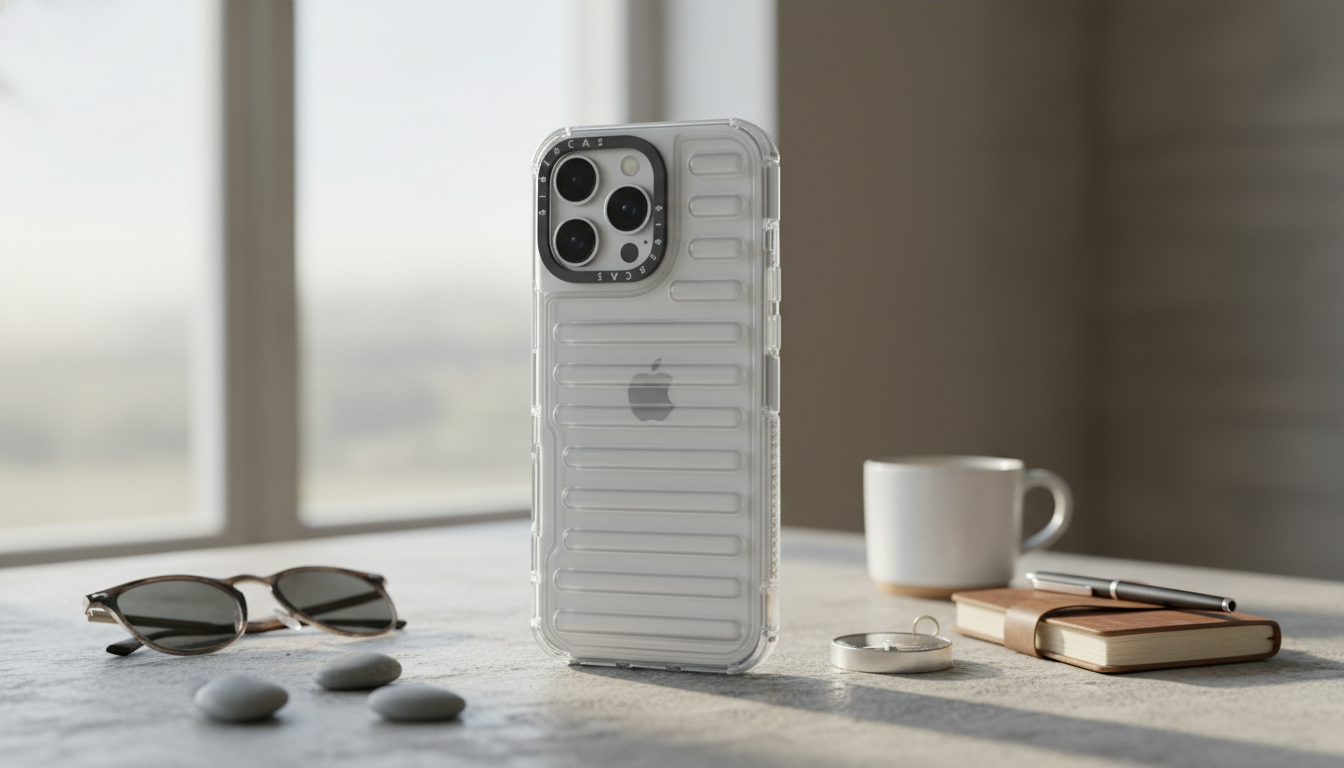
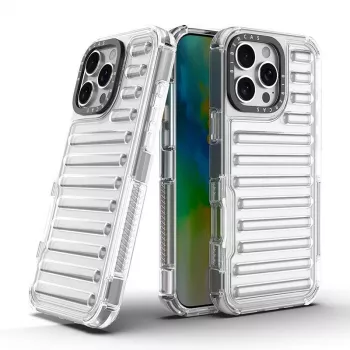
A clear case should do more than show off the iPhone’s finish—it should help absorb everyday drops, guard the edges and camera area, and stay comfortable in hand. The Creative Transparent All-Inclusive Drop Protection Case for iPhone 16, 15, 14, 13, 12 is designed to deliver full-coverage protection across multiple iPhone generations while keeping the look clean, lightweight, and easy to live with day after day.
What “all-inclusive” protection means in daily use
All-inclusive protection is about covering the places that typically take damage first—corners, edges, and the back—without turning the phone into a brick.
- Full-coverage approach: A wraparound build prioritizes edge, corner, and back coverage for common fall angles, especially the corner-first drops that happen when a phone slips from a pocket or hand.
- Raised contact points: Subtle raised areas around the camera zone and screen side help reduce direct contact with flat surfaces like desks, café tables, and gym benches.
- Wraparound fit: A snug perimeter helps minimize dust and grit entering from open sides—useful if your phone rides in a bag, backpack, or coat pocket.
- Clean, clear look: Transparent styling keeps the iPhone color and hardware design visible, so you get protection without hiding what you paid for.
Design highlights: clear, creative, and practical
Clear cases can feel basic, but the right details make them easier to handle and nicer to use throughout the day.
- Transparent style: Works with minimalist setups and also pairs well with bold wallpapers, colorful widgets, and themed lock screens.
- Grip-friendly contours: The hand feel matters. Contoured edges are intended to reduce slip risk during one-handed use—especially when texting while walking or pulling the phone out quickly.
- Button coverage: Covered buttons help guard against scuffs while still aiming to keep responsive, clicky feedback for volume and side controls.
- Everyday scratch resistance: Helps limit fine scratches from pocket carry, bag items, and desk contact, where grit and small particles can cause micro-abrasion over time.
Drop protection approach: where impact energy goes
No case can eliminate all risk, but smart impact management can reduce the chance that an everyday drop becomes an expensive repair.
- Corner-focused protection: Corners are frequent impact points. Reinforced corner design helps disperse impact forces and reduce stress concentration where cracks often start.
- Edge buffering: A buffered edge aims to reduce shock transfer to the phone frame, helping protect against dents and scuffs along the perimeter.
- Back-panel defense: The back panel helps limit abrasion and micro-scratches caused by grit trapped between the case and phone.
- Practical expectations: Protection reduces risk, but it can’t guarantee zero damage in every scenario—hard surfaces, awkward angles, and high drops can still overwhelm any case.
Compatibility and fit checklist (iPhone 16/15/14/13/12 series)
Fit is everything: it affects camera alignment, button response, port access, and how well the case sits against the phone’s edges.
- Select the exact model variant: Even within the same series, camera modules and dimensions vary. Matching the model prevents misaligned cutouts and stiff buttons.
- Consider add-on accessories: If you use a screen protector or camera lens protector, confirm the case has enough clearance for those layers.
- Check charging access: Make sure the bottom port and cable head fit comfortably, and confirm wireless charging alignment depending on your charger style.
- Don’t force installation: A correct fit should snap on smoothly with even pressure—tight corners should seat without twisting the case.
Model fit guide
| iPhone series |
What to verify before ordering |
Fit tip |
| iPhone 16 series |
Camera module shape and placement |
Match the exact model name shown in Settings > General > About |
| iPhone 15 series |
USB-C port cutout and bottom speaker alignment |
Ensure the bottom cutout is wide enough for preferred cable heads |
| iPhone 14 series |
Camera bump size and ring clearance |
If using lens covers, confirm the case has enough camera ring space |
| iPhone 13 series |
Button position alignment |
Check mute switch/action access based on phone layout |
| iPhone 12 series |
Flat-edge frame fit and corner seating |
Press corners in last for a snug, uniform seal |
Need help identifying your exact iPhone model before ordering? Apple’s guide can help: Apple Support: Identify your iPhone model.
Everyday usability: pockets, desks, and commuting
Keeping a clear case looking clear
Simple setup: install and remove without stress
Smart add-ons that pair well with a protective case
For general guidance on charging behavior and compatibility, see Apple Support: About wireless charging.
FAQ
Does a transparent case turn yellow over time?
It can, depending on the material and how much it’s exposed to UV light, heat, and skin oils. Regular cleaning and avoiding prolonged heat or direct sun can help slow discoloration, but results vary with daily use.
Will this case work with wireless charging?
Most slim clear cases generally support wireless charging, but performance can vary with charger strength, alignment, and any added accessories like metal plates or thicker attachments. If charging seems inconsistent, try re-centering the phone on the pad or using a higher-power charger.
How do I make sure I order the correct size for my iPhone?
Check your exact model in Settings > General > About and match it to the compatible model list before ordering. Camera cutout alignment is also an easy visual check—if the camera area doesn’t match your phone’s layout, it’s the wrong variant.
Recommended for you












Leave a comment