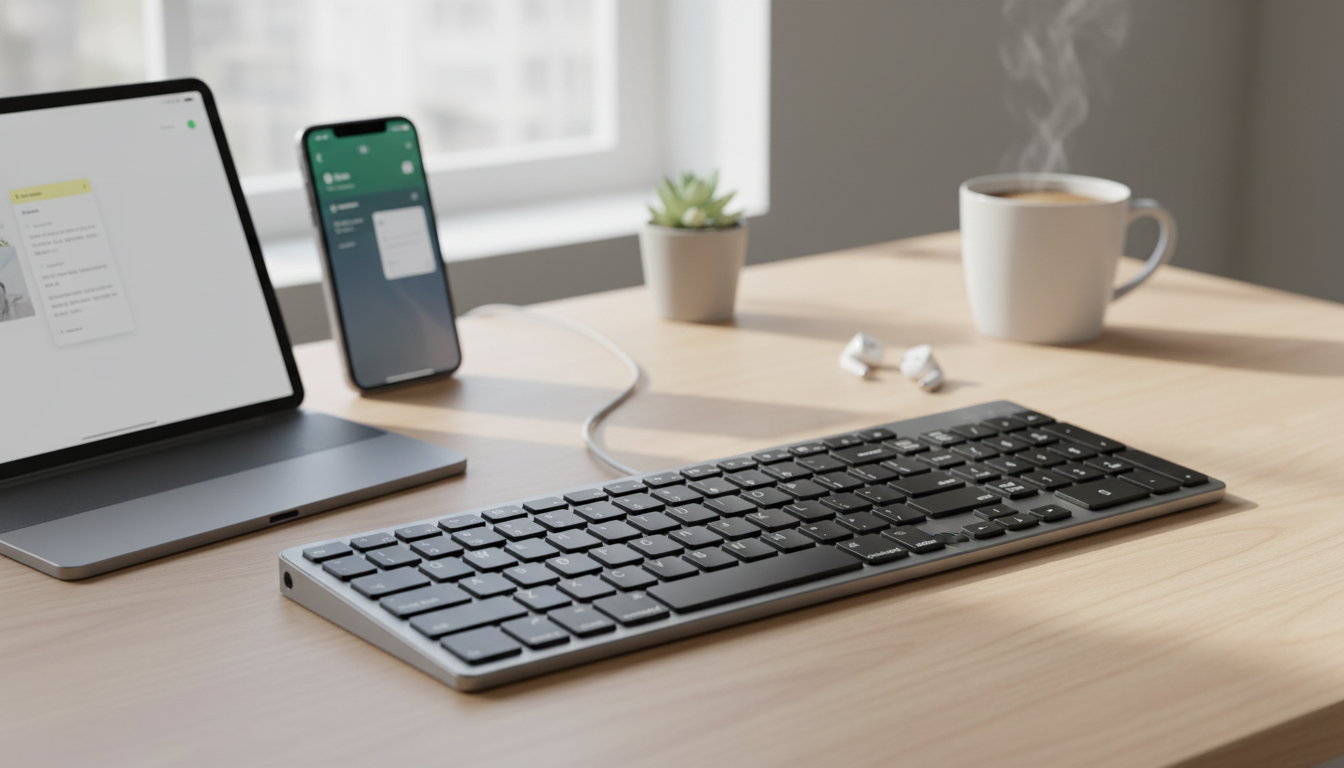
A lightweight keyboard can turn an iPad or iPhone into a more comfortable writing setup and keep a MacBook workflow consistent across devices. This ultra-slim Bluetooth keyboard focuses on portability, quick pairing, and day-to-day typing for notes, email, study, and travel—without adding bulk to a bag or desk.
When typing moves beyond a quick reply, a slim wireless keyboard helps Apple devices feel more like a practical workstation—without committing to a full laptop setup.
A compact Bluetooth keyboard fits best when the goal is consistent typing across devices—especially for “write anywhere” routines like studying, drafting, and inbox cleanup. Bluetooth pairing is a standard feature across Apple hardware; if you ever need a refresher, Apple’s step-by-step guides for iPhone/iPad and Mac make setup straightforward.
| Device | Best use cases | Practical tip |
|---|---|---|
| MacBook | Extra typing station, compact desk setup, travel backup | Keep it in a laptop bag as a lightweight spare for hotel or conference use |
| iPad | Notes, schoolwork, writing, browsing with less tapping | Use a stand/case to raise the screen to eye level for better posture |
| iPhone | Quick emails, longer messages, drafts, remote work on the go | Great for hotel/airport work when a tablet isn’t available |
Bluetooth is designed to be simple, but the smoothest experience comes from a quick first-time setup at home (before you’re in a classroom, café line, or boarding zone). For a deeper look at how Bluetooth connections work behind the scenes, the Bluetooth SIG overview explains the basics.
Ultra-slim keyboards are built for portability first, which means they often feel different from deeper laptop or desktop keys. With a few small adjustments, they can still be comfortable for real work.
A slim keyboard earns its keep when it’s ready the moment you pull it out. A short, repeatable routine makes a big difference, especially for students and frequent travelers.
The Ultra Slim Bluetooth Wireless Keyboard for Apple MacBook, iPad, and iPhone is a budget-friendly option for portable typing and multi-device convenience. It’s a good match for students, travelers, and anyone who regularly drafts longer text on an iPad or iPhone, and it also works well as a compact backup alongside a primary desktop setup.
| Item | Price | Availability |
|---|---|---|
| Ultra Slim Bluetooth Wireless Keyboard for Apple MacBook, iPad, and iPhone | $24.97 | In stock |
Yes, as long as Bluetooth is enabled on each device. Pair it through Settings, and if it doesn’t auto-connect later, select the keyboard again from the Bluetooth device list.
Confirm the correct input method is selected, then remove the keyboard from Bluetooth devices and re-pair it. If it still won’t type, restart Bluetooth and make sure the keyboard has enough battery or charge.
It can be, especially with good posture and a stable surface. Raise the screen with a stand, type with lighter keystrokes, and take short breaks during longer sessions to reduce fatigue.












Leave a comment